I've sat in my car at the end of my driveway more times than I'd like to admit, engine running, staring at ice-slicked roads and debating whether I could make the forty-minute drive to my mother-in-law's house. The guilt of turning around is real. So is the knot in your stomach when you haven't laid eyes on her in a week and she's eighty with a history of falls.
February is brutal for this. Between snowstorms, ice, and whatever respiratory virus is making the rounds, in-person visits can become genuinely risky or outright impossible. And that's when the worry really kicks in. Is she eating? Did she remember her pills? What if she fell and no one knows?
Here's the thing: you don't need a full smart home surveillance system to get some peace of mind. What you need are a few targeted, gentle ways to check in that respect her independence while giving you real information. I've road-tested these methods-some high-tech, some decidedly low-tech-and they all share one quality: they work without making Mom feel like she's under a microscope.
Why 'Just Call Her' Isn't Always Enough
Before we get into the tools, let's acknowledge the elephant in the room. Yes, you can call. And you should. But a phone call only tells you what she wants you to hear. If she's fiercely independent-and let's be honest, most of our mothers are-she's not going to volunteer that she's been dizzy, that the power flickered, or that she can't quite remember if she ate lunch.
A phone call is reassurance theater. It makes you feel better, but it doesn't always give you the full picture. That's not manipulation on her part; it's self-preservation. She doesn't want to worry you, and she certainly doesn't want to lose her autonomy.
So the goal here is to supplement those calls with passive, low-pressure ways to gather real information. Not spying. Checking in. There's a difference, and it matters.
1. The 'Drop In' Video Call (Without the Awkward Ring)
This one requires a specific piece of tech and a very clear conversation about boundaries, but when done right, it's gold.
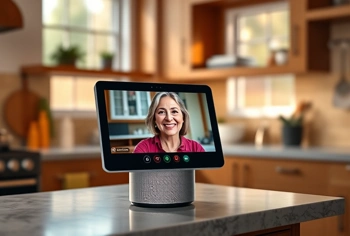
The Amazon Echo Show 8 (3rd Gen, 2023 release) has a feature called 'Drop In' that lets approved contacts-that's you-initiate a video call that connects automatically without your mom needing to answer. It's like a digital version of walking into the kitchen and saying, 'Hey, just checking in.'
I know. It sounds intrusive. It can be, if you misuse it. But if you frame it correctly-'Mom, this way you don't have to fumble for your phone when I want to see your face'-and you only use it sparingly and predictably (say, every morning at 9 a.m. while you're having coffee), it becomes routine. Comforting, even.
The 13 MP camera auto-frames her face, so she doesn't have to position herself perfectly. The 8-inch screen is large enough that she can actually see you without squinting. And when you're not calling, the device displays a rotating slideshow of family photos, which is a sneaky-good way to keep you present in her day without any effort on her part.
You can also set voice-activated reminders remotely-'Alexa, remind Mom to take her blood pressure pill at 2 p.m.' She might grumble, but she'll do it.
One caveat: this only works if she has stable Wi-Fi. If her internet is spotty, this becomes an exercise in frustration for both of you.
- ✅ The 'Drop In' feature can be enabled for approved contacts, allowing for instant, hands-free video calls that feel like a simple intercom check-in.
- ✅ Can be set to display a rotating slideshow of family photos, providing a sense of connection without active engagement.
- ✅ Voice-activated reminders can be set up remotely for medications, appointments, or even to drink water.
- ✅ It consolidates multiple functions (video calls, photos, clock, weather) into one device, reducing clutter and complexity.
- ⚠️ Requires a stable home Wi-Fi connection to function properly.
- ⚠️ The 'Drop In' feature, while useful, can feel intrusive and must be carefully explained and agreed upon to respect privacy.
- ⚠️ May be overwhelming for individuals with a strong aversion to technology or significant cognitive decline.
2. The Stove Monitor You Didn't Know Existed
If your mother cooks-and mine insists on it, even when I've offered to bring meals-the stove is the thing that keeps you up at night. One forgotten burner and the whole calculus of independence changes.
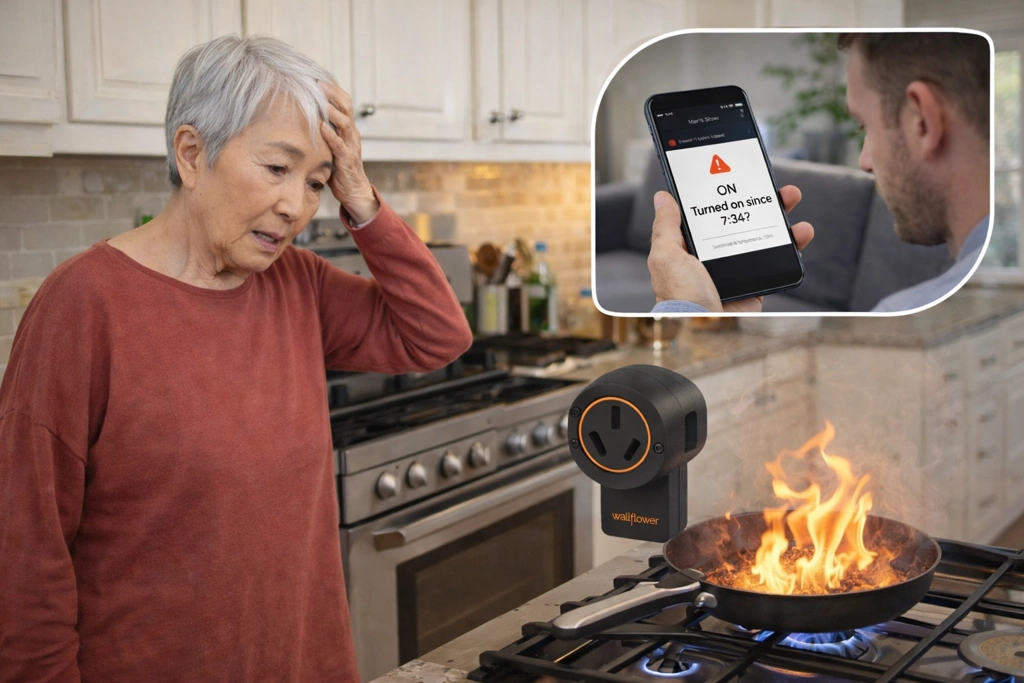
The Wallflower Smart Monitor for Electric Stoves (3-Prong) is absurdly simple and shockingly effective. It's a small box that plugs in between her electric stove and the wall outlet. That's it. No electrician. No drilling. Five minutes, tops.
Once it's connected to her Wi-Fi, you get an app on your phone. Every time the stove turns on, you get a notification. If it's been on for a while-say, longer than an hour-you get an alert. You can open the app anytime and see whether the stove is currently on or off.
This is the kind of passive monitoring that doesn't change her routine at all. She cooks exactly as she always has. But you? You can glance at your phone during a meeting and confirm the stove is off. Or, if it's been on for ninety minutes, you can call and casually ask, 'Hey, whatcha cooking?' Nine times out of ten, she'll realize she left the burner on and thank you.
The big limitation: it only works with plug-in electric or coil stoves. If she has gas or a hard-wired cooktop, you're out of luck. And it won't turn the stove off for you-it's just an alert system.
- ✅ Provides direct peace of mind by notifying you via a smartphone app if your mother leaves the stove on.
- ✅ Installation is tool-free and takes less than 5 minutes, eliminating the need for an electrician.
- ✅ It operates completely in the background, requiring no change to your mother's daily cooking routine.
- ✅ The app allows you to check the stove's status (on/off) from anywhere, offering a quick and non-intrusive safety check.
- ⚠️ It is only compatible with plug-in electric or coil stoves, not with gas ranges or hard-wired cooktops.
- ⚠️ The device only sends alerts; it cannot turn the stove off remotely.
- ⚠️ Requires a reliable Wi-Fi signal in the kitchen, which can sometimes be a weak spot in a home.
- ⚠️ Depending on space behind the stove, the stove may protrude slightly.
3. A Safety Net They Control
Medical alert devices have a deservedly bad reputation. They scream 'you're old and frail,' and the TV ads don't help. But the technology has improved, and more importantly, the framing has shifted.
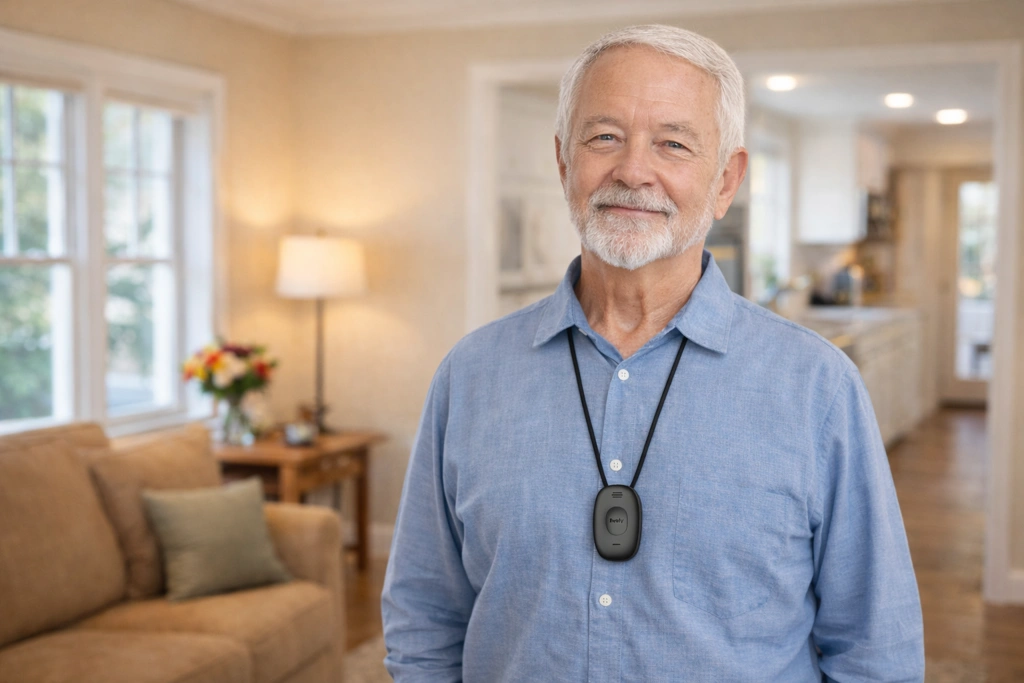
The Lively Mobile2 Urgent Response Device is small, waterproof, and genuinely portable. It's not tethered to a base station. She can wear it around the neck or wrist, take it to the grocery store, wear it in the shower. One big button connects her to a live person 24/7. Enhanced GPS means they can find her even if she's outside or can't speak clearly.
Here's how I pitched this to my own mother-in-law: 'This isn't for me. It's for you. If you fall or feel dizzy when I'm not around, you don't have to crawl to the phone. You press a button, and someone who knows what they're doing shows up. You stay in control.'
That reframing matters. This isn't you monitoring her. It's her having a safety tool that expands her independence, not contracts it.
The downsides are real: there's a monthly subscription (starting around $25/month), and she has to remember to charge it every few days and actually wear it. If she's resistant to the idea or forgetful, this won't work. But if she's on board? It's the single best investment for peace of mind during weather that keeps you away.
- ✅ Its simple, one-button design is straightforward and easy to use, even during a panic-inducing event like a fall.
- ✅ The device is small and portable, empowering your mother with a safety net she controls and can take anywhere.
- ✅ GPS tracking allows emergency responders to pinpoint her location, providing security both inside and outside the home.
- ✅ The optional fall detection service (requires premium plan) can automatically call for help, even if she is unable to press the button.
- ⚠️ A paid monthly service plan is required for the device to function, adding a recurring cost.
- ⚠️ The battery lasts up to 4 days and requires the user to remember to place it in its charging cradle regularly.
- ⚠️ This product is best for someone who will remember and be willing to wear it consistently.
4. The Low-Tech, High-Impact Photo Frame
Not everything needs to be about monitoring. Sometimes the goal is simply to maintain presence and connection, which reduces the anxiety on both ends.
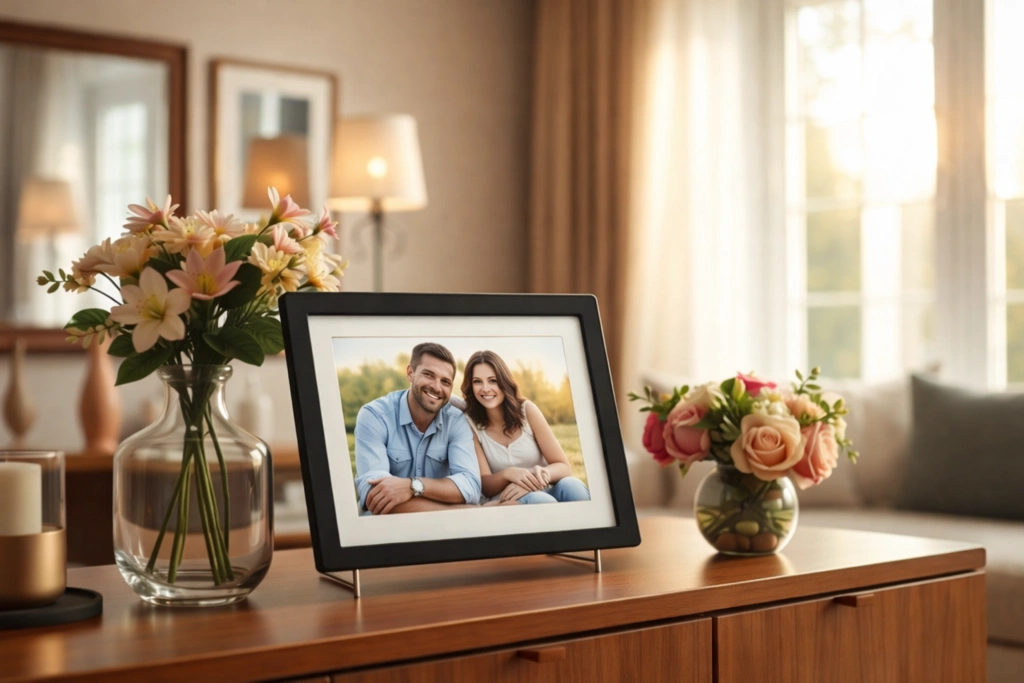
The Skylight Frame: 10 inch WiFi Digital Picture Frame is one of those ideas that sounds gimmicky until you actually use it. Each frame has its own email address. You, your siblings, the grandkids-anyone can email a photo to that address, and it shows up on the frame within seconds. No app for her to learn. No buttons to press. Just new pictures appearing like magic.
My sister-in-law sends a photo of the kids every morning before school. My brother sends pictures of his dog doing dumb dog things. I send photos from my daily walk. It's a steady trickle of 'we're thinking about you' without requiring a single thing from Mom.
And here's the subtle genius: the frame has a little heart icon she can tap if she loves a photo. That tap sends an automatic email back to the sender saying she loved it. It's a tiny, low-effort way for her to stay connected and for you to know she's up and engaging with the world.
It's not a communication device-you can't video call or message through it-but as a passive connector, it's brilliant. And because it's framed as a gift, not a monitoring tool, there's zero resistance.
- ✅ Allows the entire family to send photos directly to the frame via email, offering a constant, passive stream of connection.
- ✅ Extremely simple for the parent to use; once set up, new photos appear automatically with no action required on their part.
- ✅ The touch screen allows her to easily swipe through photos and tap a 'heart' button, which sends an email to the sender letting them know she loved the picture.
- ✅ It's a gift focused on connection and joy, not monitoring, which makes it highly acceptable to an independent parent.
- ⚠️ Requires an optional annual subscription ('Skylight Plus' for ~$39/yr) to unlock features like sending videos and adding captions.
- ⚠️ Must be connected to Wi-Fi to receive new photos and updates.
- ⚠️ This is not a communication device; it does not support video calls or messaging.
5. The Scheduled Text Check-In (Seriously, Don't Skip This)
I buried the simplest one for a reason. It's easy to overlook because it's not a product you can buy.
Set a daily recurring calendar reminder on your phone to send your mother a text at the same time every day. Not a call-those require her to stop what she's doing. A text. Something simple and low-pressure: 'Good morning! Hope the snow isn't too bad. Let me know you're up when you get a chance.'
The consistency matters more than the content. If she replies, you know she's awake, mobile, and cognitively present enough to use her phone. If she doesn't reply within a reasonable window-say, two hours-you follow up with a call.
This works because it's predictable, low-effort for her, and gives you a daily data point without feeling like you're checking up on her. Over time, it becomes part of both your routines. I've been doing this for two years, and my mother-in-law now texts me first if I'm late sending mine. It's become her way of checking on me, which is a dynamic I'll take any day.
Pair this with any of the tech tools above, and you've got a layered approach that doesn't rely on any single point of failure. Phone dies? You've got the stove monitor. Internet goes out? You've got the daily text. She doesn't answer? You've got the medical alert as a backup.
What Actually Works: Layering, Not Surveilling
None of these methods is perfect on its own. The Echo Show requires Wi-Fi and her willingness to use it. The Wallflower only works on certain stoves. The Lively requires her to wear it. The Skylight Frame requires… well, Wi-Fi again. The daily text requires you to remember.
But together? They create a web of low-key, dignity-preserving touchpoints that give you real information without turning her home into a panopticon. You're not watching her. You're creating multiple, gentle ways to stay connected when the roads are bad, the weather is worse, and your anxiety is through the roof.
The key is to introduce these tools slowly, one at a time, and always with her input. Frame them as gifts, conveniences, or safety nets she controls-not surveillance you're imposing. Because the moment she feels watched, the whole system breaks down. Independence isn't something you take away in increments. It's something you protect fiercely, even while you're quietly building a safety net underneath it.
And when the next ice storm rolls through and you can't make the drive? You'll sleep a little easier knowing you've got five different ways to know she's okay.