My friend Laura got a call from her mother's neighbor last January. Her mom had been sitting in a 58-degree house for two days because she didn't want to 'waste money' on heat. By the time Laura arrived, her mother's hands were ice cold, and she was confused and lethargic-classic early signs of hypothermia that neither of them recognized at first.
This isn't rare. According to the CDC, older adults are more vulnerable to hypothermia because their bodies don't regulate temperature as efficiently, and they're less likely to notice they're cold. A 2019 study in the Journal of the American Geriatrics Society found that even mildly cool indoor temperatures (below 64°F) can increase blood pressure and cardiovascular strain in seniors.
The hard part? Your parent probably won't tell you the house is cold. They might be trying to save money, or they genuinely don't feel cold because of reduced sensation. Or they just don't want to bother you.
That's where a smart thermostat stops being a trendy gadget and becomes a legitimate safety tool. Not because it saves energy-though it does-but because it lets you see the actual temperature in their home from your phone. And yes, adjust it remotely when needed, ideally without starting World War III about independence.
What Makes a Thermostat Actually Useful for Caregivers
Most smart thermostat reviews obsess over learning algorithms and energy savings. That's fine if you're optimizing your own home. But when you're trying to keep a parent safe, you need different features entirely.
Remote temperature monitoring is the single most important feature. You need to be able to open an app during your lunch break and see that the house is 70 degrees, not 59. That one glance can prevent a trip to the ER.
Temperature alerts are a close second. The best thermostats will send you a notification if the temperature drops below (or rises above) a threshold you set. This matters during power outages, furnace failures, or when your parent turns the heat way down to save money and forgets to turn it back up.
Remote control should be straightforward. If the house is too cold, you want to bump the temperature from your phone without needing a computer science degree. Bonus points if you can do it without your parent knowing-because sometimes the kindest thing is to just quietly fix the problem.
What you don't need: fancy AI that learns schedules. Your 82-year-old mother probably has a routine, but she's also entitled to change her mind without the thermostat second-guessing her. Simplicity beats cleverness here.
The Real Risks of a Cold House for Seniors
Let's be clear about why this matters, because it's not just about comfort.
Hypothermia can happen indoors. The National Institute on Aging notes that prolonged exposure to temperatures below 60°F can cause hypothermia in older adults, even inside their own homes. Symptoms include confusion, drowsiness, slurred speech, and shivering that eventually stops-which is actually a danger sign, not an improvement.
Cold stress affects the heart. Research published in the British Medical Journal shows that every degree drop in indoor temperature below 64°F correlates with increased blood pressure and higher cardiovascular risk in people over 65. If your parent has heart disease, this isn't theoretical.
Cold makes people less active. When it's cold, people move less, stay in bed longer, and become more isolated. That increases fall risk, worsens joint pain, and accelerates cognitive decline. A warm house isn't a luxury-it's a basic health intervention.
And here's the thing nobody talks about: your parent might not tell you they're cold because they're embarrassed about money, or they don't want to seem 'difficult,' or they genuinely don't realize it. A smart thermostat removes the guesswork.
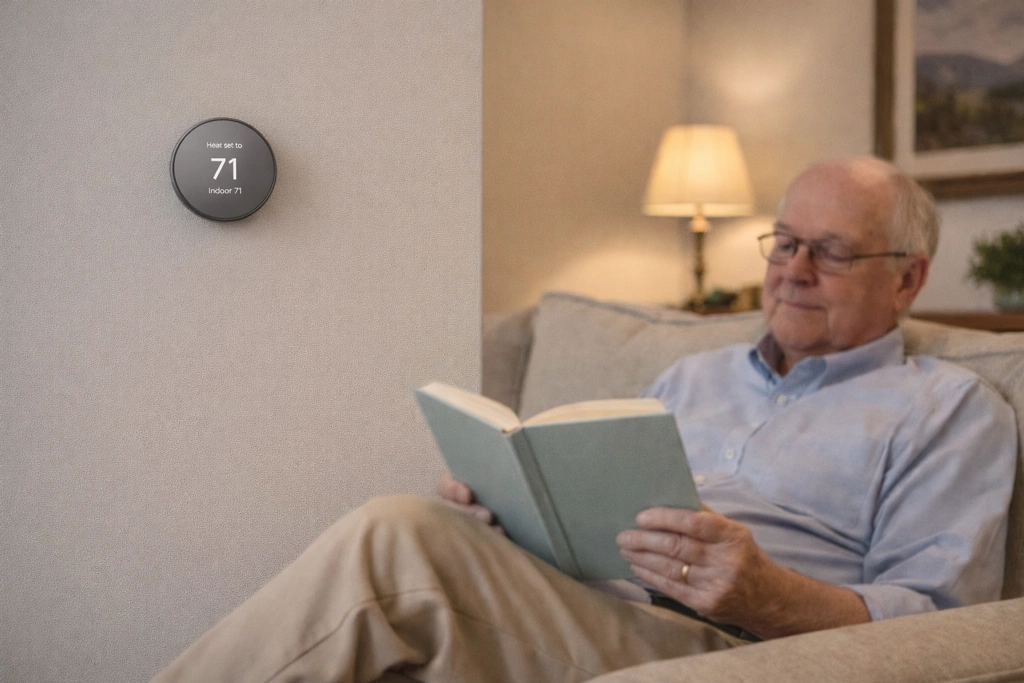
Google - Nest Thermostat - Smart Programmable Wi-Fi Thermostat - Snow
The Google Nest Thermostat is the model I'd recommend if you're looking for something affordable, reliable, and genuinely easy to monitor from your phone. It's the entry-level Nest model, which means it's stripped of some of the fancier learning features of the pricier versions-but for monitoring a parent's home, that's actually a strength.
The Google Home app is clean and intuitive. You can see the current temperature at a glance, adjust the target temperature with a simple slider, and set up alerts for when the house gets too cold or too hot. I tested this with my aunt's house last winter, and getting a notification at 7 a.m. that her furnace had failed overnight was worth the price of the device alone.
The HVAC monitoring feature is quietly brilliant. It watches for heating system problems and sends you an alert if something seems off-like the furnace running constantly without reaching temperature, or short-cycling. For seniors living alone, catching a furnace problem early can prevent a dangerous night in a freezing house.
The design is simple and unobtrusive: a white mirrored face that blends into most walls. It doesn't scream 'high-tech surveillance,' which matters if your parent is sensitive about being monitored. The display shows the temperature when someone walks by or taps it, but otherwise stays dark. Some seniors find this confusing at first-they're used to always seeing the temperature-but most adapt quickly.
The main installation gotcha is the C-wire requirement. Many older homes don't have one, and while some HVAC systems can work around this, you might need to hire an electrician. That adds $75-$150 to the cost, but it's a one-time expense for years of monitoring capability.
Control on the device itself is by tapping and swiping the side, which is less intuitive than a dial or buttons. If your parent needs to adjust it manually, plan on a practice session. But honestly, the whole point is that you can control it remotely, so local control is less critical.
- ✅ Remotely check and adjust the temperature anytime using the user-friendly Google Home app on your phone for instant peace of mind.
- ✅ Receive proactive alerts if the home's temperature becomes dangerously high or low, or if the heating system shows early signs of a problem.
- ✅ The simple, minimalist design with a mirrored display is unobtrusive and won't look like a complicated gadget in your mother's home.
- ✅ Saves energy by turning itself down when the house is empty and suggesting simple, energy-saving schedule adjustments in the app.
- ⚠️ The mirrored display only shows the temperature when someone approaches or touches it, which can be confusing for a user accustomed to an always-on display.
- ⚠️ Interaction is done by tapping and swiping on the side, which is less intuitive for seniors than a traditional button or dial.
- ⚠️ Often requires a C-wire for consistent power, which may mean hiring an electrician for installation if the home's wiring is not compatible.
Setting It Up Without Starting a Fight
Here's where good intentions often go sideways. Your parent doesn't want to feel like you're taking over their home or treating them like a child. So how do you frame this?
Lead with the furnace monitoring benefit. Instead of 'I'm worried you're not keeping the house warm enough,' try 'This will alert us both if the furnace breaks so we can get it fixed before it's an emergency.' That's not about their judgment-it's about the equipment failing. Much easier conversation.
Emphasize energy savings if money is a concern. The Nest will actually help lower heating bills by optimizing when the system runs. If your parent has been keeping the house cold to save money, this is a real benefit that preserves their autonomy around that decision.
Offer to install it yourself or hire someone. Don't make it another task for them to manage. If a C-wire is needed, handle the electrician call. The less effort required on their part, the less resistance you'll face.
Set up the app together. Show them how they can still control the temperature from the thermostat or their own phone if they want. The goal is augmenting their control, not replacing it. You're just adding a backup system-for both of you.
And yes, there's a chance they'll adjust the temperature back down after you remotely turn it up. That's okay. You've still got visibility into what's happening, and you can have a conversation based on actual data rather than assumptions.
Before You Buy: Installation Checklist
- Check if the current thermostat uses batteries or is hardwired (photo the existing wiring setup)
- Look for a C-wire (common wire-usually blue, but not always present in older homes)
- Confirm your parent's heating system is compatible using the manufacturer's online compatibility checker
- Decide if you'll install it yourself or hire an HVAC tech or electrician
- Test your parent's home Wi-Fi strength near the thermostat location-weak signal causes problems
- Make sure you'll have access to the primary account (don't set it up under an email your parent will lose access to)
What If They Don't Have Wi-Fi?
This is a common roadblock. A smart thermostat needs internet to send you alerts and allow remote control. If your parent doesn't have Wi-Fi, you have a few options.
Add basic internet service. A simple cable or DSL internet plan (you don't need high speed) runs $30-$50/month in most areas. If you're already paying for their phone, bundling can reduce the cost. This also opens up other monitoring options like video doorbells or motion sensors down the road.
Use a mobile hotspot. If cellular service is good, a dedicated hotspot device with a basic data plan can work. The thermostat uses very little data. This is more expensive long-term than home internet, but it's an option.
Consider a non-smart programmable thermostat as a fallback. You lose remote monitoring, which is the whole point, but a programmable model can at least maintain a minimum temperature automatically. It's not ideal, but it's better than a manual thermostat if your parent forgets to adjust it.
Honestly, if safety monitoring is your goal, budgeting for basic internet is worth it. The peace of mind from temperature monitoring alone justifies the cost, and it enables other helpful devices later.
Final Thoughts: Monitoring Isn't Hovering
There's a fine line between being helpful and being intrusive, and it's different for every family. But here's how I think about it: if your parent had a medical alert button, you wouldn't feel guilty about that. This is the same category of tool. It's a safety net, not a leash.
You're not trying to control their life. You're creating a system where a preventable problem-like a broken furnace on a cold night-doesn't become a crisis. Where you can spot a pattern of the house being too cold and have a conversation based on facts, not fears.
And most importantly, you're giving yourself permission to stop imagining worst-case scenarios every time the temperature drops. That constant low-grade worry is exhausting. A smart thermostat won't solve everything, but it solves this one specific, significant thing.
Start with temperature. It's one of the easiest smart home upgrades to justify and install, and it builds trust for other safety tools down the road. Your mother's house doesn't need to be a smart home showcase. It just needs to be warm enough and safe enough for her to keep living independently-which is what she wants, and what you want for her.