We may earn a commission when you buy through links on this page, at no extra cost to you. How this works.
Managing multiple medications for an aging parent or loved one creates a layer of ongoing worry that most caregivers describe as exhausting. You call to confirm whether the morning dose was taken, cross-reference pill bottles to catch refill dates, and mentally track which prescriptions should never be taken together. Each method - whether a plastic pill organizer, a handwritten log taped to the refrigerator, or a series of phone alarms - works until it doesn't, and the cost of a missed dose or accidental double-dose can be serious.
Manual systems require the caregiver to stay one step ahead at all times. A pill organizer shows whether today's compartment is empty, but it won't tell you if your mother took Tuesday's pills on Wednesday by mistake. Written logs depend on legible handwriting and consistent记录, which becomes harder when the care recipient has vision trouble or mild cognitive decline. Phone reminders can be ignored, snoozed into oblivion, or misunderstood when multiple alarms overlap.
Medication management apps shift some of that mental load away from constant vigilance. Instead of wondering, you receive a notification when a dose is logged - or when it's overdue. Instead of asking the same questions every day, both you and your loved one see a shared record that answers them. The app doesn't replace judgment or medical oversight, but it does reduce the number of moments when you're guessing about something that matters.
The tradeoff is real: adopting an app means teaching someone new technology, ensuring a smartphone stays charged, and accepting that digital tools occasionally fail or feel impersonal. For some families, a simple pillbox and a daily phone call provide enough structure and connection. For others - especially when distance, complex regimens, or memory concerns are involved - a digital system offers a measurable reduction in caregiver anxiety and a clearer safety net. The question isn't whether apps are universally better, but whether the specific demands of your situation align with what they do well.
What to Look for in a Medication Management App
- Caregiver portal or shared access so you can monitor without hovering
- Customizable reminder schedules for complex dosing (twice daily, every other day, as needed)
- Missed dose alerts sent to both senior and caregiver
- Refill reminders with pharmacy integration or manual tracking
- Photo library or pill identification to reduce mix-ups
- Drug interaction warnings and allergy tracking

The Caregiver's Legal Guide: Planning for a Loved One with Chronic Illness
Managing medications for someone with chronic illness often requires more than organizing pill bottles - it involves legal authority to speak with doctors, refill prescriptions, and make care decisions when your loved one cannot.The Caregiver's Legal Guide: Planning for a Loved One with Chronic Illnesswalks caregivers through the paperwork that makes medication coordination legally enforceable, from healthcare proxy forms to power of attorney documents.
The guide explains which legal documents authorize you to request prescription details from pharmacies, communicate treatment preferences to specialists, and document medication schedules for court or medical records. Caregivers who use medication management apps will find this resource useful for understanding how to formalize their role: an app might track doses and refills, but legal authority determines whether you can actually order those refills or update a doctor on side effects.
Practical scenarios include preparing for hospital discharge (who signs the prescription paperwork?), coordinating care when multiple family members are involved, and planning transitions if the primary caregiver needs backup. The book covers how to document medication routines in legally recognized formats, which becomes important if care disputes arise or if you need to demonstrate adherence for insurance or benefits.
At $9.99, this is a straightforward reference for caregivers who want their medication management efforts backed by clear legal standing. It pairs well with digital tracking tools: the app handles day-to-day reminders and logs, while this guide ensures you have the signed documents to act on that information when coordinating with healthcare providers and pharmacies.
- ✅ Explains which legal documents authorize prescription coordination and pharmacy communication
- ✅ Covers practical scenarios like hospital discharge and care transitions
- ✅ Affordable reference at $9.99
- ⚠️ Legal requirements vary by state and may require local attorney review
- ⚠️ Does not include fillable forms or state-specific templates

Hospice Medication Handbook: A Caregiver's Guide to Comfort Medications
Caregivers managing palliative or comfort-focused medication regimens often face a knowledge gap: tracking apps remind you when to give a dose, but they don't explain why a particular medication was prescribed or what side effects to watch for. The Hospice Medication Handbook: A Caregiver's Guide to Comfort Medications fills that gap with explanations written for family caregivers, not medical professionals.
This reference guide focuses on medications commonly used in hospice and end-of-life care. It walks through the purpose of each comfort medication, typical dosing approaches, and what changes in condition might signal the need for adjustment. When you're new to palliative care, understanding the difference between a scheduled pain medication and an as-needed anti-anxiety dose can reduce hesitation and help you respond to your loved one's needs with confidence.
The handbook pairs well with a medication management app: the app handles scheduling and reminders, while the book provides the clinical context. If a hospice nurse adds a new medication to the regimen, you can look it up in the guide to understand its role in comfort care. That combination keeps the logistics organized and the decision-making informed.
At $12.95, this is a focused resource for a specific caregiving situation. It won't replace consultation with a hospice care team, but it offers accessible explanations when you need to refresh your understanding between visits or phone calls.
- ✅ Explains comfort medications in plain language for family caregivers
- ✅ Pairs well with medication tracking apps to add clinical context
- ✅ Focused on palliative and hospice care scenarios
- ⚠️ Specialized content may not apply outside end-of-life care
- ⚠️ Does not replace guidance from a hospice care team
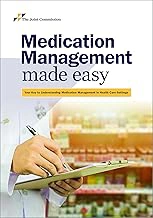
Medication Management Made Easy (Soft Cover)
Some caregivers need a printed reference they can hand to a senior, annotate during doctor visits, or keep on the nightstand when a smartphone feels like one more barrier.Medication Management Made Easyserves that role: a soft-cover guide designed to organize schedules, track refills, and record interactions without requiring a device or internet connection.
The book includes fill-in worksheets for daily doses, appointment logs, and contact pages for pharmacies and providers. For seniors who resist apps or struggle with small screens, a physical workbook can reduce friction and give them ownership of their routine. Caregivers managing multiple family members or juggling complex polypharmacy may find the structured layout easier to review at a glance than toggling between app screens.
At $149.00, this is a professional-grade resource priced well above consumer medication trackers. The cost reflects bound materials and comprehensive worksheets, but it may feel steep if you only need basic reminders or already rely on a digital system. The 4.5/5 rating suggests users value the depth and durability, though the higher price narrows the audience to those who prefer or require print tools.
This guide works best as a supplement to - not a replacement for - app-based alerts. Pair it with a digital reminder system to cover real-time notifications, then use the printed pages for backup documentation, teaching moments, or situations where handing someone a pen and paper feels more respectful than unlocking your phone. If budget allows and your care situation benefits from tangible records, the workbook format offers clarity that a screen notification cannot.
- ✅ Physical worksheets for seniors who resist digital tools
- ✅ Organized layouts for tracking multiple medications and appointments
- ✅ Durable soft-cover format that survives daily use
- ⚠️ $149.00 price point limits accessibility
- ⚠️ No real-time reminders without pairing with an app
- ⚠️ Manual entry requires discipline and legible handwriting
What Medication Management Apps Do and How They Work
Medication management apps organize prescription schedules, track doses, and send reminders when it's time to take each medication. Most platforms let caregivers set up multiple medication profiles, assign specific times for each dose, and receive alerts if a dose is skipped or delayed. These tools act as a digital pill organizer with built-in accountability features that help both caregivers and their aging loved ones stay on track.
Basic alarm apps simply ring at preset times. Full medication management platforms go further by logging each dose taken, storing refill dates, and allowing family members to monitor adherence remotely through shared access. Some apps use photo recognition to identify pills by shape and color, reducing setup time and minimizing confusion when multiple medications look similar. Interaction warnings flag potential conflicts between prescriptions, supplements, or over-the-counter drugs, though these alerts should not replace pharmacist or physician guidance.
Shared caregiver access is one of the most practical features for families managing care from a distance. When a parent forgets a dose or marks it as taken, the caregiver receives a notification and can follow up by phone or text. This visibility reduces the need for daily check-in calls and gives caregivers peace of mind without micromanaging. Refill alerts notify users several days before a prescription runs out, leaving time to schedule pharmacy pickups or arrange delivery.
Setup typically involves entering medication names, dosages, and schedules manually or by scanning prescription labels. Many apps include drug databases that auto-populate details once the medication name is entered. Privacy concerns are valid, since health information is sensitive. Reputable platforms use encryption and comply with privacy regulations, but caregivers should review each app's data policy and avoid storing payment or insurance details unless necessary. Most apps do not share data with third parties unless the user opts in.
These platforms work best when caregivers and their loved ones agree on the level of oversight and communication. Apps designed for independence let older adults manage their own medications with optional caregiver visibility, while those built for high-touch care include more frequent notifications and detailed logs. Choosing the right balance depends on cognitive ability, health complexity, and personal preference.
Key Benefits for Caregivers: Reducing Anxiety and Saving Time
Caregivers managing medication schedules from a distance often carry a constant, low-level worry: Did Mom take her evening blood pressure pill? Should I call again to remind her, or will that feel like nagging? Medication management apps address this anxiety directly by shifting the responsibility from memory and phone calls to automated systems that confirm, alert, and document.
Confirmation notifications provide immediate peace of mind. When a dose is logged as taken, the app sends a notification to the caregiver's phone. Sandra no longer needs to text her mother every night at 8 p.m. to ask about the blood pressure medication. She simply checks her phone after dinner and sees the green checkmark. This small shift eliminates the daily phone call loop and preserves dignity on both sides - Mom feels trusted, and Sandra feels reassured without becoming intrusive.
Shared calendars and adherence tracking save time during medical appointments. Instead of trying to reconstruct two weeks of medication history from memory or hastily scribbled notes, Sandra opens the app and shows the cardiologist a clear visual record: doses taken on time, doses delayed by an hour, one missed dose on Tuesday. This documentation speeds up the appointment, helps the doctor make informed adjustments, and reduces the chance of miscommunication. Caregivers spend less time preparing for visits and more time discussing what actually matters.
Missed dose alerts prompt timely follow-up without requiring constant vigilance. If Mom's morning pill hasn't been logged by 10 a.m., Sandra receives an alert. She can send a quick text or make a brief call while the window for taking the dose is still open, rather than discovering the miss hours later when it's too late to correct. This real-time loop reduces the consequences of forgetfulness and keeps medication schedules on track with minimal daily effort.
The cumulative effect is a lighter mental load. Caregivers describe feeling less tethered to their phones, less guilty about taking an evening off, and more confident that gaps in the routine will surface automatically rather than through detective work. These apps turn medication management from an ongoing source of worry into a system that works quietly in the this product, surfacing information only when action is needed.
How Apps Help Seniors Maintain Independence and Safety
Seniors often resist medication help because it feels like losing control. A medication management app can shift that dynamic by putting the senior in the driver's seat, offering reminders and tools they manage themselves rather than relying on someone else's schedule or memory.
Visual cues work well for people with early memory concerns. An app icon with a badge, a gentle chime, or a pop-up notification serves as a prompt without requiring another person to ask, "Did you take your pills?" That small buffer preserves dignity and reduces the friction that comes with direct questioning.
Discreet reminders also help. Many apps let users choose notification styles - vibration only, a simple tone, or even a recorded voice message from a family member. Customization means the senior can adopt a routine that feels personal, not clinical. They see the reminder, take the dose, and mark it complete. The record exists if needed, but it doesn't broadcast dependency.
For caregivers, this creates a layer of verified independence. Instead of calling three times a day to check, you can glance at a shared log and see that doses were acknowledged on time. If a dose is missed, the app flags it, and you can follow up calmly rather than with urgency born from uncertainty.
Resistance often centers on privacy. Seniors worry about being monitored or judged. Apps that allow the senior to control what gets shared - and with whom - ease that concern. Some platforms let users invite a caregiver to view adherence data only, not location or other phone activity. Others offer a "prove it when asked" model: the senior shows their log during a doctor visit or family call, but the data isn't pushed to others automatically.
Gradual adoption helps. Start with one medication, or use the app for a few days without sharing data. Let the senior experience the benefit - less mental load, fewer forgotten doses - before opening access to a caregiver. This builds trust in the tool and reduces the feeling of surveillance.
The result is a practical balance: seniors maintain autonomy over their routine, caregivers gain reassurance without constant check-ins, and both sides avoid the emotional weight of nagging or defensiveness that erodes trust over time.
Comparing Free vs. Paid App Features
Most medication management apps offer a free tier with basic reminders and dose logging, which can cover essential needs if you're managing a straightforward routine. Free versions typically let you set multiple alarms, record when doses are taken, and view a simple history. For a parent taking three or four medications at consistent times, this level of functionality often solves the immediate problem of missed doses without any financial commitment.
Paid subscriptions unlock features aimed at caregivers coordinating care from a distance or handling complex regimens. Premium tiers commonly include caregiver portals that let you monitor adherence in real time, receive alerts when a dose is skipped, and access detailed reports you can share with doctors. Many also add drug interaction warnings, refill tracking synchronized with pharmacy data, and the ability to manage multiple family members under one account. These tools become valuable when you need visibility into your parent's routine or when polypharmacy raises the risk of dangerous combinations.
The decision hinges on your specific pain points. If forgetfulness is the only issue and your parent is comfortable self-managing, start with a free app and observe how consistently it gets used. Upgrade when you encounter friction: perhaps you need remote confirmation that evening insulin was taken, or your parent's specialist asks for a three-month adherence summary you can't generate from the free tier. Testing the no-cost version for two weeks usually clarifies whether you need the added capabilities or whether basic reminders solve the problem completely.
Watch for trial periods on paid plans, which let you evaluate caregiver dashboards and interaction checkers before committing to a monthly or annual fee. Some apps bundle premium features with health insurance programs or pharmacy memberships at reduced rates, so check those channels before paying full price. The goal is to match features to actual workflow gaps rather than paying for capabilities you won't use or that duplicate information already available through your parent's healthcare provider.
Tips for Introducing a New App to a Tech-Resistant Parent
Getting an older adult to try a new app can feel like an uphill battle, especially when the suggestion sounds like surveillance rather than support. The way you frame the conversation makes all the difference. Instead of leading with safety concerns or missed doses, position the app as a tool that helps your parent stay in control of their own routine without needing to rely on constant check-ins from you.
Set aside time during a calm, unhurried visit to introduce the technology together. Sit side by side rather than across from each other, and let your parent hold the phone while you guide them through each step. Start with just one medication to keep things simple and build confidence before adding the full list. Walk through how to dismiss a reminder, how to mark a dose as taken, and how the app keeps a quiet record in the this product.
Customize notification sounds to something gentle rather than jarring. A harsh alarm can feel intrusive and annoying, while a softer chime or familiar ringtone feels less like a command. Let your parent choose the sound if the app allows it. Small choices like this reinforce autonomy and make the tool feel personal rather than imposed.
When objections come up, listen first. If your parent says they don't need reminders because their memory is fine, acknowledge that and reframe the app as a backup for busy days or interruptions. If the concern is privacy, show them exactly what information is visible to you and ask what level of sharing feels comfortable. Offering to turn off location tracking or limiting your access to just the medication log can ease worries about being watched.
Use language that emphasizes independence: "This way you won't have to wonder if you already took your evening pill," or "I won't need to call and interrupt your day to check in." Avoid phrases that sound like you're taking over, such as "I'll be able to monitor you" or "This will help me make sure you're safe." The goal is to position the app as something that reduces both of your stress levels, not something that shifts control away from them.
Expect the first week to feel awkward. Offer to stop by or call at reminder times to troubleshoot together, but resist the urge to take the phone and do it for them. Let your parent make mistakes and recover. Competence builds through repetition, and each small success makes the app feel less foreign. Once they see that it quietly handles the mental load of tracking doses without extra effort, resistance often fades.
When to Combine Apps with Other Medication Tools
Medication management apps deliver the most reliable results when paired with physical tools rather than used in isolation. A smartphone can send a reminder, but a pre-sorted pill organizer shows at a glance whether your parent took the morning dose - eliminating guesswork when memory or screen time becomes a barrier.
A hybrid system balances convenience with redundancy. Use the app to schedule alerts, log doses as they happen, and track refill dates. Meanwhile, fill a seven-day organizer each Sunday so doses are ready to go, reducing decision fatigue and the risk of double-dosing. Keep a printed medication list - drug names, dosages, prescribing doctors, and pharmacy contact - taped inside a kitchen cabinet or tucked in a wallet. Emergency responders and hospital staff need that information quickly, and a dead phone battery or forgotten passcode can delay critical care.
This layered approach also helps when multiple caregivers share responsibility. One person can manage the app and send updates, while another handles the physical sorting. Both can check the organizer to confirm compliance without needing app access or training. For aging parents who resist screens, the organizer becomes the primary tool, and the app serves as the caregiver's private tracking layer.
Technology works best as one component of a safer routine, not a replacement for tangible backup. Combining digital reminders with visible, physical organization creates a system that adapts to changing needs, technical hiccups, and real-world interruptions.
Next Steps: Testing and Adapting Your System
Start by downloading two or three highly rated apps and running a one-week trial with real medications and schedules. This hands-on comparison reveals which interface feels intuitive, which notifications are helpful rather than annoying, and which features you'll actually use daily versus those that sound good on paper.
Involve the person taking the medications in every decision. Let Mom choose her notification sound, preferred reminder times, and whether she wants text confirmations or just a quiet alert. When older adults feel ownership over the system, they're far more likely to stick with it and trust the reminders.
Schedule a follow-up conversation three to five days into your trial. Ask specific questions: Did any reminders get missed? Were the alerts too frequent or too quiet? Did the refill tracking feature cause confusion? Use this feedback to adjust notification timing, simplify the home screen, or switch to a different app entirely if the first choice isn't working.
Expect to make changes. The app that works perfectly for a friend's father may frustrate yours, and settings that seemed reasonable during setup may need tweaking once real life intervenes. The goal is a system that reduces your worry and supports safer, more independent medication routines - not a perfect setup on day one. Revisit your feature checklist after the trial week and compare what you thought you needed against what actually mattered in daily use.