We may earn a commission when you buy through links on this page, at no extra cost to you. How this works.
The decision matrix is simpler than you think: Can your parent operate a lamp? Then they can use a smart plug. The question isn't whether your parent is 'tech-savvy enough' - it's whether you're choosing devices that match their actual needs versus marketing promises.
Smart plugs sit between the wall outlet and any standard appliance. They add four core safety functions: scheduled automation, remote shut-off capability, voice activation, and usage monitoring. No electrician required. No hub necessary for most models. Just plug in, connect to WiFi once, and the safety features activate.
The five uses below address specific risks: nighttime falls, forgotten appliances, routine disruption, mobility limitations, and your inability to check on things remotely. Each use case includes which plug type works best and why certain features matter more than others for elderly users.

GHome WiFi Smart Plug for Alexa and Google Home
This plug operates with both Alexa and Google Home voice assistants, giving flexibility if your parent already uses one ecosystem or the other. The 4.4/5 rating reflects reliable scheduling and voice response - two functions critical for lighting automation.
At $24.99, it handles the most important safety use case: scheduled lamps that eliminate dark pathways without requiring your parent to remember anything. Setup requires WiFi connection once, then the schedules run independently. Voice commands provide manual override when needed.
The compact design doesn't block the second outlet, allowing another plug to share the same wall plate. This matters when installing multiple pathway lights in hallways or bathrooms where outlet availability is limited. For automated lighting that prevents falls, this plug delivers the core functionality at an accessible price point.
- ✅ Works with both Alexa and Google Home voice systems
- ✅ Compact design doesn't block adjacent outlets
- ✅ Scheduling function reliable for automated lighting
- ⚠️ Requires stable WiFi connection for remote features
- ⚠️ Initial setup needs smartphone or tablet access
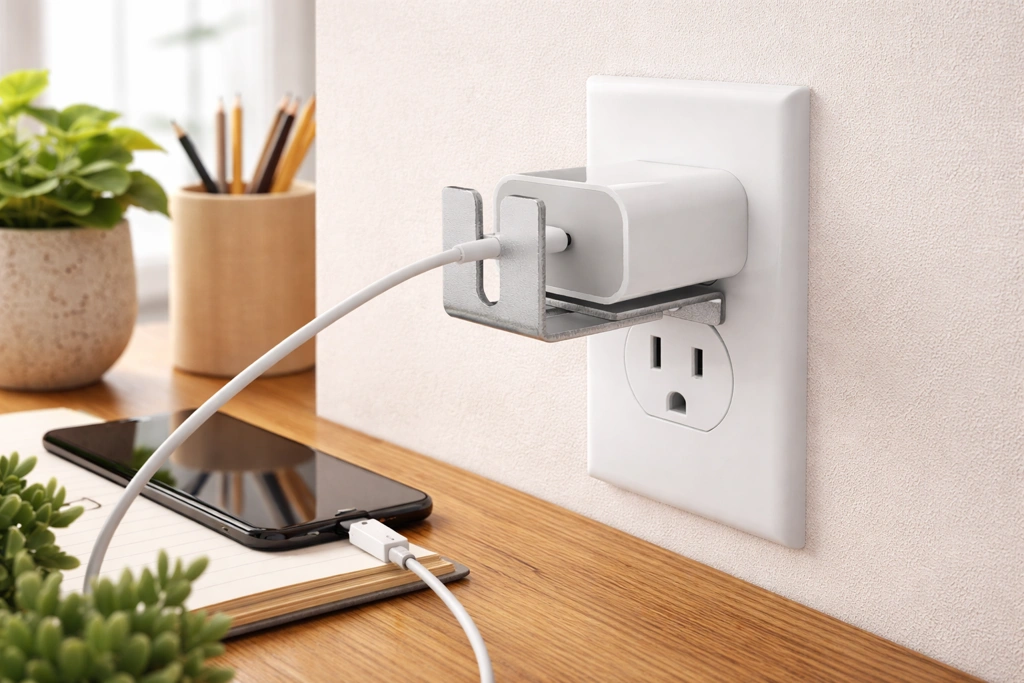
ILIVABLE Outlet Lock
When you've configured a smart plug for appliance shut-off safety, the last thing you need is accidental unplugging during vacuuming or furniture rearrangement. This metal lock secures the plug connection at $17.95, preventing unintended disconnection.
The adjustable design fits various plug shapes, including the slightly larger smart plugs. The 4.2/5 rating reflects effective physical security - once locked, the plug stays connected until you deliberately remove the device. This matters for critical-safety applications like space heater controls where disconnection defeats the protection.
Installation requires no tools: the lock slides over the plug and outlet face, then tightens. Your parent won't accidentally knock it loose, and you maintain confidence that scheduled shut-offs remain operational. For high-risk appliance management, this lock ensures your smart plug safety measures stay in place.
- ✅ Physical lock prevents accidental smart plug disconnection
- ✅ Adjustable design fits various plug sizes
- ✅ No tools required for installation
- ⚠️ Adds slight bulk to outlet area
- ⚠️ Must be removed for quick plug changes
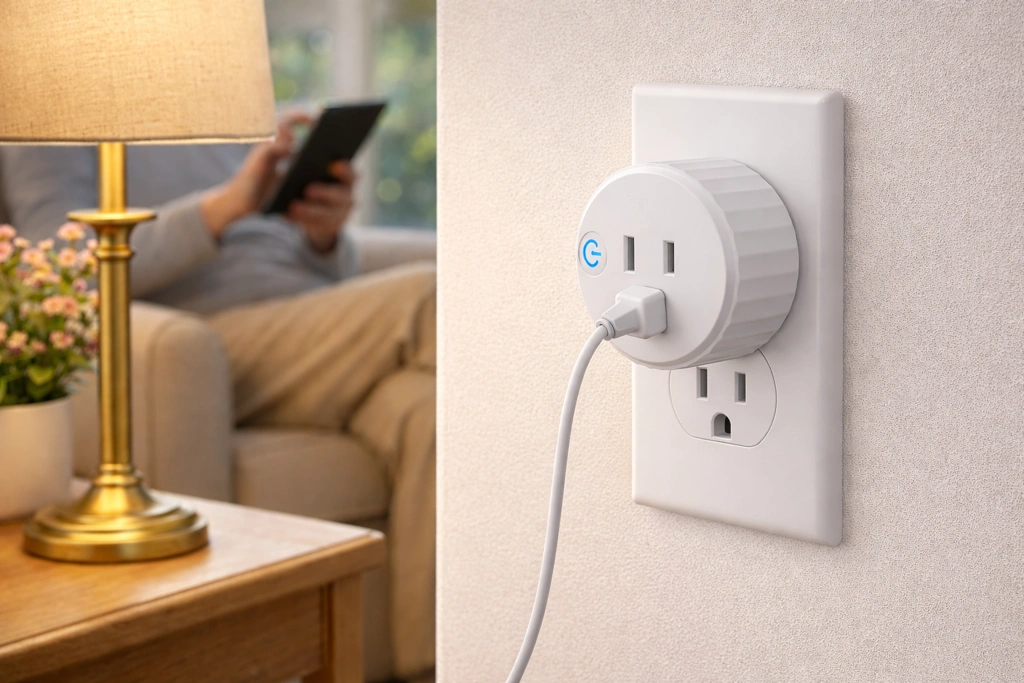
Govee Smart WiFi Plugs with Timer
Routine support requires multiple plugs across different rooms - bedroom lamp, kitchen coffee maker, living room reminder light, bathroom nightlight. This 4-pack at $29.99 covers whole-house schedule implementation at substantially lower per-unit cost than individual purchases.
The 4.5/5 rating highlights reliable timer functionality, which is essential when plugs must activate at specific daily times to reinforce routines. All four plugs operate through a single app, simplifying schedule management when you're coordinating multiple environmental cues.
Each plug maintains independent schedules, so you can customize morning, afternoon, and evening prompts across different rooms. For building a complete routine-support system throughout your parent's home, this multi-pack delivers coordinated scheduling capability at an efficient price point.
- ✅ Four plugs at cost-effective per-unit pricing
- ✅ Single app manages all plug schedules
- ✅ Reliable timer function for routine-building
- ⚠️ All four plugs may exceed immediate needs
- ⚠️ Requires coordinated setup session
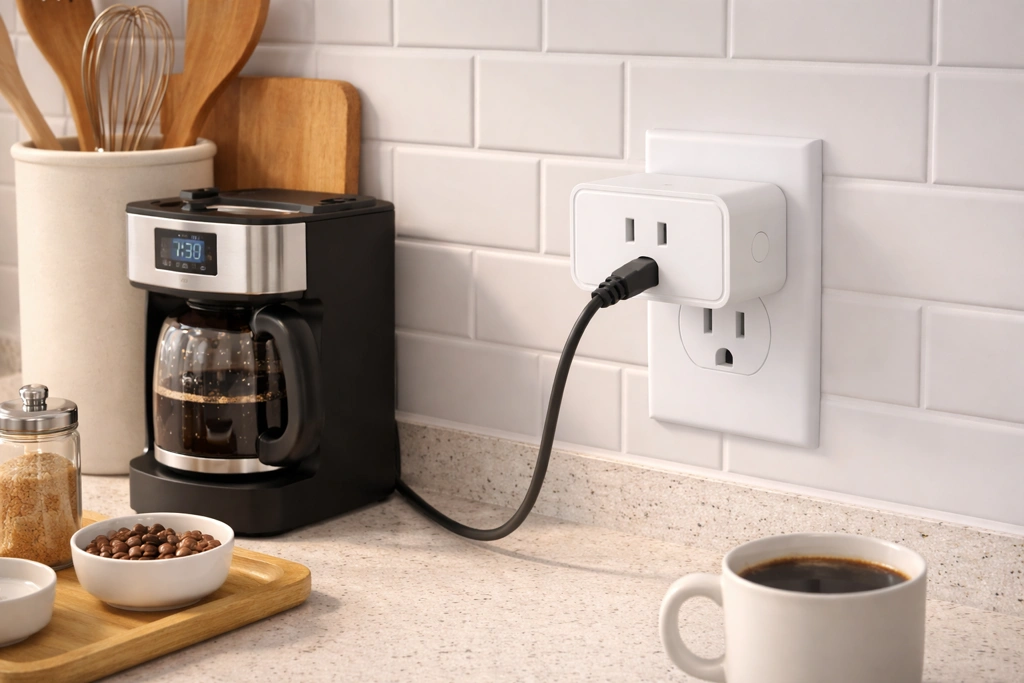
Amazon Basics Smart Plug
For remote monitoring and control, the Amazon Smart Plug earns its 4.7/5 rating through exceptional app reliability and instant status updates. At $24.99, it delivers the most dependable remote access in the moderate price range.
The Alexa integration is native - these plugs were designed specifically for the Amazon ecosystem rather than adapted to it. This matters when you're checking multiple devices throughout the day: the app response is immediate, status displays are accurate, and control commands execute without lag or failed connections.
Setup is streamlined for users already in the Alexa environment, though it works only with Alexa voice control (not Google Home). For caregivers who prioritize confident remote access to verify appliance status and control devices from distant locations, this plug provides the most reliable monitoring experience in its price category.
- ✅ Highest reliability rating for remote monitoring
- ✅ Instant app status updates and control response
- ✅ Streamlined setup within Alexa ecosystem
- ⚠️ Works only with Alexa, not Google Home
- ⚠️ Requires Amazon account and Alexa app
What is a Smart Plug? (And Why It's Not Complicated)
A smart plug is an adapter that gives you smartphone and voice control over anything plugged into it. Your parent's existing lamp doesn't change. The outlet doesn't change. The plug simply adds a wireless on/off switch controlled by an app, a voice command, or a schedule you set up once.
Most confusion stems from setup terminology - 'WiFi,' 'app,' 'Alexa compatibility.' But the actual process takes about three minutes: plug it in, download one app, connect it to your home WiFi network, name the device ('Mom's bedroom lamp'), and it's operational. Your parent never needs to touch the app again if you configure schedules in advance.
The safety value comes from removing human memory from the equation. No more wondering if the coffee maker is still on. No more hoping your parent will remember to turn on hallway lights before bed.
Use 1: Automate Lighting to Prevent Falls in the Dark
Falls cause 3 million emergency room visits annually among seniors, with inadequate lighting being a primary contributor. Smart plugs address this by scheduling lamps to turn on before your parent wakes for nighttime bathroom trips and during evening hours when visibility drops.
Set a bedroom lamp to activate automatically at 11 PM and turn off at 7 AM. Schedule hallway and bathroom pathway lighting to illuminate at sunset and maintain until morning. Your parent doesn't flip switches while half-asleep - the lighting anticipates movement patterns instead.
Voice control adds a backup layer: 'Alexa, turn on the hallway light' works from bed if they wake at an unscheduled time. The schedule handles the routine; voice commands handle exceptions. No fumbling for switches in the dark, no navigating unlit spaces, reduced fall risk during the highest-danger hours.
Use 2: Create an Automatic Shut-Off for High-Risk Appliances
Coffee makers, space heaters, irons, and electric kettles present fire hazards when left running. Smart plugs eliminate the 'Did I turn it off?' anxiety by scheduling automatic shut-offs after safe operating windows.
Program the coffee maker to turn off after two hours - long enough for morning use, short enough to prevent all-day heating. Set a space heater to shut down when your parent typically leaves a room or goes to bed. The plug enforces time limits even when memory doesn't.
This use case also enables remote intervention. If you call your parent and hear the space heater running in an empty room, you can shut it off from your phone immediately. The safety improvement is binary: appliances that can't stay on unattended no longer create fire risk exposure during the hours you're not physically present.
Use 3: Set Schedules to Aid Daily Routines and Memory
Routine disruption signals early cognitive changes and increases accident risk. Smart plugs create external structure that supports daily patterns: morning coffee at 7 AM, lunch-time living room lamp reminder, evening medication-time lamp cue.
The lamp that automatically turns on at medication time becomes a visual prompt without nagging. The coffee maker that starts brewing at the same time each morning reinforces wake-up routines. These environmental cues work particularly well for parents who resist pill organizers or written schedules but respond to sensory patterns.
You're not controlling your parent's day - you're automating the prompts they used to remember independently. The structure supports autonomy rather than limiting it. And when routines stay consistent, you gain a baseline: deviations become more noticeable, giving you earlier warning of changes that need attention.
Use 4: Enable Voice Control for Convenience and Limited Mobility
Arthritis, reduced balance, and mobility aids make switch-flipping and appliance operation physically challenging. Voice control through smart plugs removes the need to walk across rooms, bend down to low outlets, or reach behind furniture to access power switches.
Voice activation works best for devices your parent uses variably: 'Alexa, turn on the reading lamp' when settling into a chair. 'Hey Google, turn off the fan' without getting up. 'Alexa, turn on the heating pad' without navigating to the bedroom outlet.
The cognitive load is minimal - just the device name and on/off command. For parents with mobility limitations but intact verbal skills, this adds significant independence. They control their environment without physical strain, reducing fall risk from unnecessary movement while maintaining the autonomy of making their own comfort decisions throughout the day.
Use 5: Remotely Control Devices from Your Phone
The monitoring capability addresses your specific anxiety: wondering whether the stove is off, whether lights are on after dark, whether appliances are running unattended. Smart plugs let you check and control devices from anywhere with cell service.
Open the app during your work commute to verify the morning coffee maker shut off. Check at bedtime whether your parent's bedroom light is on, indicating they're awake unusually late. Turn off a forgotten lamp during your lunch break without calling and worrying your parent unnecessarily.
This use case serves caregiver peace of mind more than direct parent benefit - but your reduced anxiety has practical value. You can verify safety without constant check-in calls that may feel intrusive. The app shows device status and allows instant correction, giving you factual information instead of worry loops about unknowable situations.
How to Choose a Senior-Friendly Smart Plug
Voice assistant compatibility matters first: buy plugs that work with whatever system your parent already uses or whichever voice assistant has the simplest wake word for them to remember. Alexa and Google Home dominate compatibility - most plugs work with both, but verify before purchasing.
Physical size affects usability in older homes with limited outlet space. Compact designs that don't block the second outlet allow more flexibility in installation locations. For homes with two-prong outlets, verify the plug accepts your parent's older appliance plugs or plan to include grounded adapters.
App interface simplicity matters for you, not your parent - choose plugs with clearly labeled controls and reliable status displays since you'll manage setup and troubleshooting. Rating reliability above 4.3 stars generally indicates fewer connection problems and more consistent performance. Avoid plugs requiring separate hubs or bridges; direct WiFi connection reduces complexity and failure points.
Tips for Introducing New Technology to Your Parent
Install and configure everything yourself before mentioning smart plugs. Your parent sees their lamp working normally - no new buttons, no changed behavior - until you're ready to demonstrate benefits. Lead with the convenience they'll notice: 'I set your bedroom lamp to turn on automatically at night so you don't have to find the switch in the dark.'
Emphasize that nothing stops working if they ignore the smart features. The lamp still has its original switch. They can use devices exactly as before. The automation simply adds options rather than replacing familiar operation.
Introduce voice control separately, after scheduled automation proves valuable. 'You can also just say 'Alexa, turn on the lamp' from bed' adds capability to an already-working system. Start with one or two plugs for the highest-value safety improvements - lighting and one high-risk appliance - rather than attempting whole-house automation that feels overwhelming and invasive.
Conclusion: Small Gadgets, Big Reassurance
Smart plugs address specific, measurable safety risks: inadequate lighting that causes falls, unattended appliances that create fire hazards, disrupted routines that signal cognitive changes, mobility limitations that increase injury risk, and your inability to verify safety from a distance. Each use case solves a concrete problem rather than adding technology for its own sake.
The devices cost between $18 and $38 per plug. Installation requires no electrician and no modification to your parent's home. Configuration takes minutes per device. The ongoing maintenance is minimal - mostly software updates that happen automatically.
Compare your current anxiety level about nighttime falls, forgotten appliances, and remote safety verification against the cost and effort of installing smart plugs for your parent's highest-risk situations. Check side-by-side which plugs match your specific use case priorities: lighting automation, appliance shut-off, voice control, or remote monitoring. Start with one or two targeted applications. Assess results. Add more coverage as value becomes evident.